



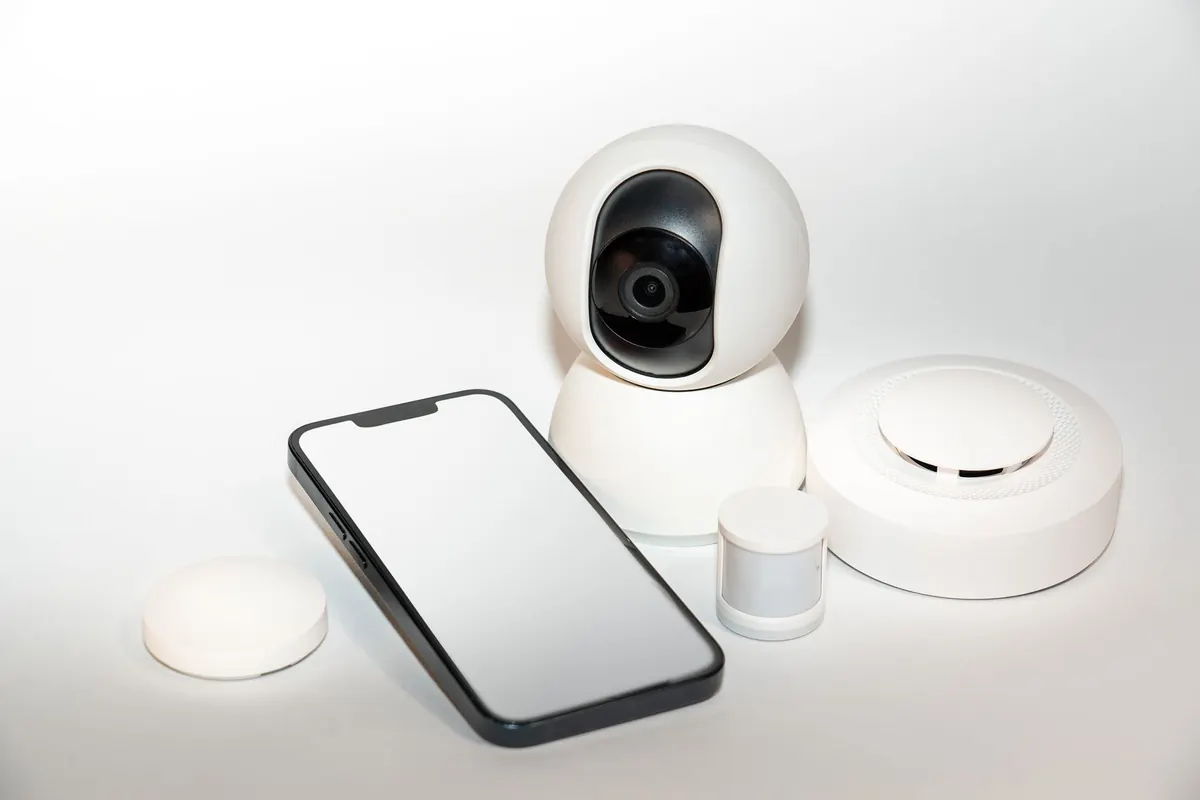
Your phone unlocks the moment it sees your face. Your earbuds cancel the drone of a train engine without asking a data center for permission. A doorbell camera spots a delivery driver on the porch and pings you, and the video never leaves the house.
None of that is happening in a distant server farm. It happens on the device itself, centimeters from your eyes. That approach has a name: edge AI. Once you understand the idea, you start noticing it everywhere.
What "Edge" Really Means
"Edge" is shorthand for wherever data is actually born: a phone in your pocket, a laptop on a desk, a camera bolted to a wall, a sensor on a factory floor, a chip inside a hearing aid. Cloud AI ships your data to a remote server, waits for an answer, and sends it back. Edge AI skips the trip.
That is the whole distinction. It says nothing about how clever the model is. A small model that recognizes a wake word and a large one that translates a conversation in real time can both run at the edge. What changes is where the math happens, not what the math is.
How a Model Shrinks Enough to Fit
Training is the expensive part, and it still usually happens on racks of servers that draw serious power. The result of training is a model file, and files can be copied. Getting one to run on a watch or a phone is a separate engineering problem, because a phone has a fraction of the memory and cooling of a server.
Three techniques do most of the work:
- Quantization. Store the numbers with fewer bits — roughly like rounding 3.14159 to 3.14. The file gets smaller, the math gets faster, and accuracy usually slips only a little.
- Pruning. Remove the connections that barely change the output, the way you'd delete spreadsheet rows that never affect the final total.
- Distillation. Train a small "student" model to imitate a large one, keeping most of the behavior at a fraction of the size.
A useful comparison: instead of carrying the entire library, the device memorizes forty recipes extremely well. It handles most meals beautifully and stumbles on the odd request.
Why Privacy and Speed Get All the Attention
Two benefits come up in nearly every conversation about local processing, and both are easy to feel.
The first is privacy. If your face, your voice, or a video of your living room never leaves the device, there is no copy on someone else's server to be breached, subpoenaed, or quietly reused for something you never agreed to. That matters most where the data is sensitive by nature: medical images, documents, conversations in your kitchen.
Be skeptical anyway. "On-device" sometimes means only the first step is local, and a transcript or summary may still sync to an account. Check the settings screens rather than the sticker on the box.
The second is latency. A round trip to a server takes time — often tens to hundreds of milliseconds, more on a bad connection. For autofocus, noise cancellation, collision warnings, or augmented reality, that delay is the difference between working and unusable.
The practical wins stack up like this:
- Privacy by default. Sensitive data stays where it was created.
- Faster response. No network round trip, so reactions feel instant.
- Works offline. Basements, planes, rural roads, crowded stadiums.
- Lower running costs. No per-request bill from a cloud provider.
- Less bandwidth. Sending a few kilobytes instead of a video stream.
The Trade-offs Nobody Puts on the Box
Local processing is not free. It just moves the costs somewhere less visible.
Smaller models make more mistakes
A compressed model handles common cases well and unusual ones less so. Accented speech, low light, odd angles, background noise — that is where a local model starts missing what a large cloud model would catch. If quality matters more than privacy for a given task, the cloud is often still the better tool.
Updates and aging hardware
Cloud models improve silently, usually without you noticing. A model baked into a device only improves when the manufacturer ships an update. Devices stop receiving them, and the hardware itself becomes the ceiling: a five-year-old phone may simply lack the memory or the neural processing unit to run a newer model.
Then there is the unglamorous part. Running a model warms a phone and drains battery, and a device that has to do more locally often costs more to build. Developers also lose visibility — debugging one server is easier than debugging a million devices in the wild.
You've Probably Used It for Years
Edge AI rarely announces itself. It shows up as a feature that just works:
- Face unlock and fingerprint matching.
- Wake words that listen for "Hey" something without streaming audio constantly.
- Autocorrect, next-word prediction, and dictation.
- Portrait blur and photo search that finds "dog" in your camera roll.
- Noise cancellation and wind reduction in earbuds.
- Doorbells that tell a person from a swaying branch.
- Cars with lane keeping, automatic braking, or driver attention monitoring.
- Watches that detect a hard fall and offer to call for help.
Most of these are hybrid. The small, urgent job runs locally; the harder job goes to a server. Hybrid is the norm, not a compromise.
How to Tell Whether a Device Runs AI Locally
Five minutes of checking beats a spec sheet.
- Open the settings app and search for "on-device," "local processing," or a privacy toggle. If a feature is local, manufacturers usually brag about it there.
- Scan the specs for a neural processing unit, or a branded equivalent. Its presence is a strong hint that local work is intended.
- Turn on airplane mode and try the feature. If it still works, the processing is local.
- Watch what the product sends home. A privacy label or a network monitor will tell you more than the marketing page.
- Search the privacy policy for "upload." Where it appears tells you which parts are not on the edge.
A Practical Way to Think About It
Pick the approach per feature, not per device. If the task involves sensitive data and needs a fast answer — unlocking, filtering noise, spotting a person at your door — local processing is usually the right call, even if the model is a bit dimmer. If the task is occasional, complex, and the data isn't delicate, the cloud earns its keep.
Two habits are worth adopting. Keep your devices updated, since local models improve mostly through those updates. And test offline when it matters to you; it is the quickest way to find out whether a promise is real.
Finally, a note on judgment. When a feature touches your health, your money, or your legal situation, treat its output as a hint rather than a verdict. On-device or not, these tools are not professionals, and a qualified person is still the right place to take a serious decision.
Photo: Jakub Zerdzicki / Pexels
Related posts
More stories you’ll love reading